Based in Bendigo and extending service to Ballarat, Geelong, Melbourne and surrounding Central Victorian areas, HiVizz Security is an owner‑operated installer of 4K CCTV systems that provides free on‑site quotes for residential and small‑business customers. The Ubiquiti Network Video Recorder Instant Kit is an all‑in‑one surveillance solution that lets homeowners and small‑business owners in Bendigo get up and running quickly without hunting for separate components. Below you’ll find a plain‑English review, what you’ll need beyond the kit, and clear guidance for both residential and commercial installs.
What is the Ubiquiti Network Video Recorder Instant Kit?
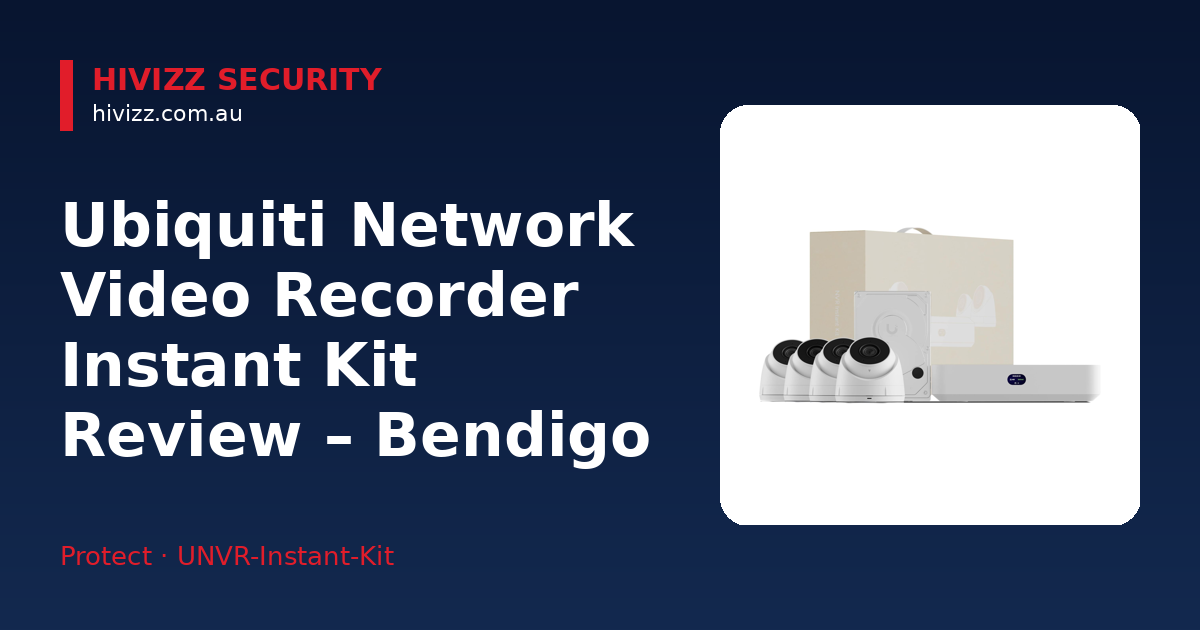
HiVizz Security describes the Ubiquiti Network Video Recorder Instant Kit (also known as the Compact UniFi Protect NVR Kit) as a bundled solution that includes a compact NVR, four 2K (4MP, 2688 x 1512) G5 Turret Ultra cameras and a 1 TB hard‑drive.
- One UniFi Protect NVR Instant (the recorder)
- Four G5 Turret Ultra cameras
- One 1 TB hard‑drive for local video storage
All components fit into a small enclosure that can sit on a shelf or be wall‑mounted. The kit is designed for plug‑and‑play deployment: the NVR Instant is AC-powered (universal AC input 100–240V AC, internal 60W PSU) and features six built-in GbE PoE RJ45 downlink ports with a 40W PoE budget to power cameras directly, requiring only an uplink connection to a gateway or Layer-3 switch (which routes network traffic and isolates the cameras from other devices). PoE (Power over Ethernet) means the Ethernet cable carries both data and electricity, so you don’t have to run separate power lines to each camera.
Who in Bendigo should consider this Instant Kit?
HiVizz Security recommends the kit for homeowners, retailers, cafés and small offices throughout Bendigo and nearby towns that need reliable, 24/7 video coverage.
- Homeowners who want continuous video without the hassle of buying a separate NVR and individual cameras.
- Retailers, cafés or small offices that need four cameras to monitor the shop floor, front entrance and stockroom right out of the box.
- Properties that already use UniFi networking gear (such as a UniFi gateway or switch), because the kit integrates seamlessly with an existing UniFi network.
If you live in a suburb like Marong or a nearby town such as Castlemaine, the kit’s compact size and weather‑resistant cameras suit typical residential roofs and storefronts.
What’s included and what else do you need?
HiVizz Security outlines the kit’s components and the additional hardware required for a complete installation.
| Kit component | What it does |
|---|---|
| UniFi Protect NVR Instant | Records video from up to 15 HD, 8 2K, or 6 4K cameras (the kit supplies four 2K cameras) and stores it on the internal 1 TB HDD. |
| Four G5 Turret Ultra cameras | Provide 2K (4MP) high‑definition, night‑vision‑ready footage; each camera is IP‑rated for outdoor use. |
| 1 TB hard‑drive | Holds several weeks of video depending on motion activity and resolution settings. |
Additional hardware you’ll need
- Gateway or Layer 3 switch – provides the network uplink and internet connectivity for the NVR Instant (the NVR powers the cameras directly via its six built-in PoE ports).
- Mounting hardware & Ethernet cabling – usually included with the cameras, but you may need extra cable for longer runs.
- Optional UPS (Uninterruptible Power Supply) – keeps the system alive during short power outages, useful for both homes and shops.
HiVizz Security can provide the gateway or switch, run the cabling, and mount the cameras securely.
Home installation guide for a Bendigo residence
HiVizz Security’s home‑installation guide walks you through locating the NVR, connecting power, and configuring the UniFi Protect app.
- Choose a central spot – a cupboard in the Marong garage or a wall in the living‑room that has easy access to your router.
- Connect the NVR and cameras – connect the cameras directly to the NVR Instant’s built-in PoE ports, connect the NVR’s uplink port to your gateway or router, and connect the NVR to AC power.
- Open the UniFi Protect app – download the UniFi Protect mobile app (available from the Apple App Store or Google Play) on your phone or tablet.
- Run the setup wizard – the app will detect the NVR and the four cameras automatically. Follow the prompts to name each camera (e.g., Front Door, Backyard) and set motion‑alert preferences.
- Adjust camera angles – mount each turret on the chosen wall or ceiling, tighten the screws, and fine‑tune the view using the live preview in the app.
- Test remote access – make sure you can view live footage from your phone while away from home; HiVizz Security can help configure remote access if needed.
Installation guide for a Bendigo shop or small business
HiVizz Security’s small‑business checklist covers camera placement, network segmentation, and secure mounting for commercial environments.
- Plan camera locations – typical spots include the shop front, checkout area, stockroom and any blind spots on the perimeter.
- Install a Layer‑3 switch – a Layer‑3 switch routes network traffic and isolates the cameras from other devices, separating surveillance traffic from your business Wi‑Fi to improve performance and security.
- Connect the NVR and cameras – plug the cameras into the NVR Instant’s built-in PoE ports, connect the NVR’s uplink port to your switch or gateway, and power the unit on.
- Mount cameras securely – use the supplied brackets and weather‑proof housings to protect cameras from shop dust and occasional rain.
- Configure storage and retention – decide how long footage should be kept (e.g., 14 days) and set the NVR’s storage policy via the UniFi Protect app.
- Set user access levels – give managers view‑only rights, while the owner can access live feeds and playback.
- Enable remote viewing – staff can check the shop floor from their smartphones using the UniFi Protect app; HiVizz Security can assist with any firewall or VPN settings.
Pros and cons of the Instant Kit vs. other UniFi Protect options
HiVizz Security evaluates the Instant Kit’s strengths and limitations compared with alternative UniFi Protect solutions.
Pros
- Quick initial setup – the kit’s wizard gets you recording in under an hour.
- Four‑camera coverage – enough for most homes and small shops without buying extra cameras.
- 1 TB local storage – no monthly cloud fees; footage stays on‑site.
- Compact design – fits discreetly on a shelf or wall mount.
Cons
- Camera capacity ceiling – manages up to 8 2K cameras (or 15 HD / 6 4K), so larger deployments will need a multi-drive UNVR.
- Requires a gateway or Layer 3 switch – needs an uplink to an existing gateway or switch to connect to your network and the internet.
- No built‑in 24/7 monitoring service – you self‑monitor via the UniFi Protect app; HiVizz Security provides installation and support only.
Support, warranty and liability coverage from HiVizz Security
HiVizz Security offers a 2-year warranty on products, a 1-year warranty on workmanship, and a free on‑site quote within two business days (see current price on the product page) – just give us a call and we’ll visit your Bendigo property to assess the best layout. As an Australian‑owned, owner‑operated business based in Marong (Bendigo region), you’re dealing with local experts who understand the climate, NBN connectivity and typical property layouts in Central Victoria.
For any questions after installation, HiVizz Security provides ongoing system support, firmware updates and optional maintenance visits.
FAQ
Q: Do I still need a separate NVR if I already own a UniFi Dream Machine? A: The UniFi Dream Machine Pro includes an NVR, but the Ubiquiti Network Video Recorder Instant Kit comes with its own dedicated NVR and 1 TB of storage, giving you a choice depending on your needs.
Q: Can the system be expanded beyond four cameras later? A: Yes. The NVR Instant includes six built-in PoE ports (supporting up to 8 2K cameras total), meaning you can connect two additional cameras directly to the unit, or expand further with extra PoE switching and storage, which HiVizz Security can supply and install.
Q: Which mobile app should I use for live video viewing? A: Use the UniFi Protect app from Ubiquiti. There is no separate HiVizz app, but HiVizz Security will help you set up the UniFi Protect app during installation.
Q: Is the system suitable for a shop with a busy Wi‑Fi network? A: By using a Layer‑3 switch to segment surveillance traffic, camera video stays separate from customer Wi‑Fi, ensuring smooth operation for both.
Q: What should I do if power is lost during a storm? A: Adding an optional UPS (Uninterruptible Power Supply) keeps the NVR and cameras running for a short period. HiVizz Security can recommend the right UPS size for your setup.
Next steps – Get your free on‑site quote today
Ready to protect your Bendigo home or shop with the Ubiquiti Network Video Recorder Instant Kit? Contact HiVizz Security for a no‑obligation, free on‑site quote within 2 business days:
- Call: 0406 048 875
- Email: [email protected]
- Visit the product page: Ubiquiti Network Video Recorder Instant Kit
HiVizz Security will visit your property, discuss the best camera layout, and handle the professional installation, app setup and ongoing support. Protect what matters most – call us today on 0406 048 875!