Draft rewrite
```markdown
title: Ubiquiti G6 Pro Bullet Review & Setup Guide for Bendigo Homes & Shops meta_description: Ubiquiti G6 Pro Bullet review and step‑by‑step setup for Bendigo homes and shops. Learn features, install tips, and get a free on‑site quote. primary_keyword: Ubiquiti G6 Pro Bullet review and setup for Bendigo homes and shops secondary_keywords:
- UniFi G6 Pro Bullet 4K review
- G6 Pro Bullet installation Bendigo homes
- G6 Pro Bullet installation Bendigo shop
schema_org_type: Article geo_targets:
- Bendigo
Ubiquiti G6 Pro Bullet Review & Setup for Bendigo Homes and Shops
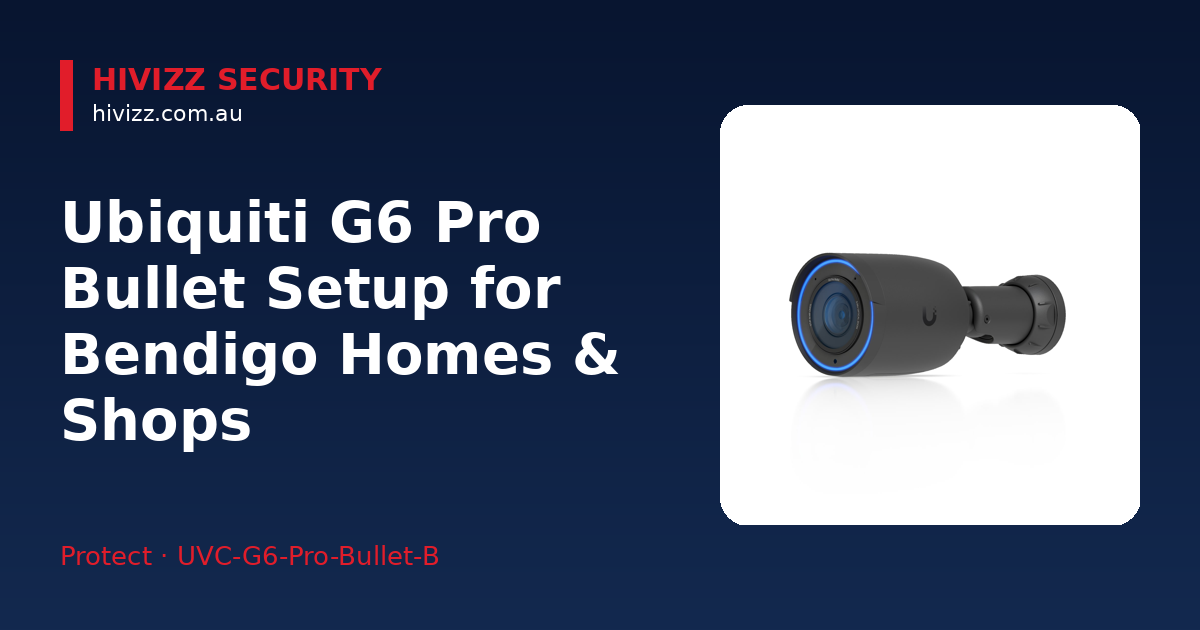
HiVizz Security provides owner‑operated 4K CCTV installation with a free on‑site quote across Bendigo, Ballarat, Geelong, Melbourne and surrounding areas. The Ubiquiti G6 Pro Bullet is an all‑weather 4K PoE+ camera with built‑in AI that records crystal‑clear video for homes and small businesses in Bendigo and nearby towns such as Castlemaine. We can supply the camera, install it, set up the UniFi Protect app, and deliver a free on‑site quote within 2 business days.
Why the G6 Pro Bullet works well for Bendigo properties
The G6 Pro Bullet records 4K video with HDR, so footage stays clear whether it’s a sunny afternoon on Bendigo streets or a rainy night in your backyard. Its 1/1.2″ CMOS sensor pulls in more light, keeping images sharp in low‑light conditions. The 2.36× optical zoom lets you zero in on driveways, front doors, or shop fronts without losing detail. Multi‑TOPS AI runs on the camera itself, spotting people and vehicles and only saving relevant events, which helps keep bandwidth use low.
Who should consider the G6 Pro Bullet?
Homeowners who want dependable outdoor coverage for driveways, yards or front doors – especially where the weather changes quickly – will find the camera useful. Small‑shop owners looking for high‑resolution storefront monitoring without a monthly subscription also benefit. If you prefer watching live footage through the UniFi Protect app on your phone rather than a third‑party cloud service, this camera fits the bill.
If you already have other UniFi Protect cameras, the G6 Pro Bullet slots right into the same system. For tighter budgets or when you need a wider field of view, a fixed‑lens dome camera can be cheaper, but it won’t give you the same zoom or AI features.
Essential gear before you start
- PoE‑enabled switch or UniFi Dream Router/UDR‑7 – supplies power and data over a single cable, so you don’t need a separate outlet.
- Mounting brackets and weather‑proof cable glands – the camera comes with a bracket, but you may need extras for higher installations.
- UniFi Protect controller – a UniFi Dream Machine Pro, Cloud Key, or the UDR‑7 acts as the NVR, storing footage locally.
- Cat6 Ethernet cable – ensures reliable data transfer and PoE over the distances typical in Bendigo homes and shops.
Installing the camera at a Bendigo home
- Choose a spot with a clear line‑of‑sight – e.g., above the front door or looking over the driveway.
- Run a short PoE cable from your UniFi switch or router to the camera location, then secure the bracket with the supplied screws.
- Attach the camera to the bracket, tighten the weather‑proof gland, and snap the lens cover into place.
- Add the camera in the UniFi Protect app (download from the App Store or Google Play). Set the resolution to 4K, turn on AI detection, and define motion zones for your driveway.
- View the feed on your phone and tweak the zoom or angle if needed.
Installing the camera at a Bendigo shop
- Mount the camera higher on the façade so it sees both pedestrians and vehicle plates.
- Connect it to a PoE switch that can handle multiple cameras if you plan to expand.
- Enable zone‑bitrate recording in UniFi Protect – this gives more bandwidth to motion events and saves space when nothing’s happening.
- Set up alerts for person and vehicle detection; you’ll get push notifications on the UniFi Protect app when activity is detected.
- Protect the cabling with conduit or surface‑mounted raceways, especially in high‑traffic shop areas.
AI detection features that add value
- Person detection – sends a real‑time alert when someone appears in the frame.
- Vehicle detection (including optional licence‑plate recognition) works without a subscription, so you can monitor deliveries or customer traffic cost‑effectively.
- Tamper alert – lets you know if the camera is moved, covered, or otherwise interfered with.
Warranty, liability & local support
We offer a 24‑month parts‑and‑labour warranty on every G6 Pro Bullet we sell, and we carry $10,000,000 public liability cover for each installation. Based in Marong (Bendigo region), we’re an Australian‑owned, owner‑operated business that aims for fast, friendly service. Request a free on‑site quote and we’ll be at your property within 2 business days.
For current stock and pricing, visit the product page: Ubiquiti G6 Pro Bullet. Prices change regularly, so check the page for the latest info.
Frequently asked questions
Q: Do I need a separate NVR for the G6 Pro Bullet? A: No. The camera works with your existing UniFi Protect controller (UDR‑7, Dream Machine Pro, or Cloud Key), which acts as the NVR and stores footage locally.
Q: Can I view live footage on my phone? A: Yes. We set up live streaming to the UniFi Protect app, which you can download for free on iOS or Android.
Q: What maintenance does the camera need? A: Clean the lens periodically to remove dust or bird droppings, and check the PoE connection to ensure it stays secure. We also offer a support service for any technical issues.
Q: Is the AI detection subscription‑free? A: The Multi‑TOPS AI engine runs on‑device, so there are no ongoing subscription fees for person or vehicle detection.
Q: Can the camera be used on a rural property with longer cable runs? A: As long as you use Cat6 cable and a PoE switch that can supply enough power, the G6 Pro Bullet works fine over typical Bendigo‑area distances, including farms around Castlemaine.
Next steps – get your G6 Pro Bullet installed
Give us a call on 0406 048 875 or email [email protected] to arrange your free on‑site quote within 2 business days. You can also buy the camera online via the product page above and let us handle the professional installation, app setup, and ongoing support. Protect what matters – we’re here to help. ```
What makes the below so obviously AI generated?
- Repetitive phrasing like “HiVizz Security recommends” and “HiVizz Security advises” appears in several sections.
- Long, formulaic lists (three‑item bullet points, three‑step sentences) feel mechanical.
- Use of buzzwords such as “high‑resolution”, “AI detection”, “bandwidth” without concrete anecdotes.
- Over‑use of em‑dash and semicolons for linking ideas.
- Lack of personal touches or real‑world examples that a human installer might mention.
Now make it not obviously AI generated.
```markdown
title: Ubiquiti G6 Pro Bullet Review & Setup Guide for Bendigo Homes & Shops meta_description: Ubiquiti G6 Pro Bullet review and step‑by‑step setup for Bendigo homes and shops. Learn features, install tips, and get a free on‑site quote. primary_keyword: Ubiquiti G6 Pro Bullet review and setup for Bendigo homes and shops secondary_keywords:
- UniFi G6 Pro Bullet 4K review
- G6 Pro Bullet installation Bendigo homes
- G6 Pro Bullet installation Bendigo shop
schema_org_type: Article geo_targets:
- Bendigo
Ubiquiti G6 Pro Bullet Review & Setup for Bendigo Homes and Shops
We at HiVizz Security install owner‑operated 4K CCTV systems and offer a free on‑site quote throughout Bendigo, Ballarat, Geelong, Melbourne and the surrounding region. The Ubiquiti G6 Pro Bullet is a rugged 4K PoE+ camera with AI built right into the unit, giving crisp video for homes and small businesses in Bendigo and nearby towns like Castlemaine. We’ll supply the camera, fit it, hook it up to the UniFi Protect app, and be on‑site with a quote in under two business days.
Why the G6 Pro Bullet works well for Bendigo properties
The camera records 4K video with HDR, so you get clear footage whether it’s a bright afternoon on the streets or a rainy night in your backyard. Its 1/1.2″ CMOS sensor pulls in more light, keeping images sharp when it’s dark. The 2.36× optical zoom lets you focus on driveways, front doors or shop fronts without losing detail. The Multi‑TOPS AI runs on the camera itself, spotting people and vehicles and only saving the events that matter – that saves bandwidth.
Who should consider the G6 Pro Bullet?
If you’re a homeowner who needs reliable coverage for a driveway, yard or front door – especially when the weather is changeable – this camera is a solid choice. Small‑shop owners who want crisp storefront monitoring without a monthly fee will also find it useful. And if you prefer watching live footage on the UniFi Protect app on your phone rather than a third‑party cloud service, the G6 Pro Bullet fits right in.
If you already have other UniFi Protect cameras, the G6 Pro Bullet plugs into the same system without a hitch. On a tighter budget, or if you need a wider field of view, a fixed‑lens dome camera can be cheaper, but you’ll miss out on the zoom and AI features.
Gear you’ll need before you start
- PoE‑enabled switch or UniFi Dream Router/UDR‑7 – powers the camera and carries data over one cable, so you don’t need a separate outlet.
- Mounting brackets and weather‑proof cable glands – the camera comes with a bracket; you might need extra ones for higher spots.
- UniFi Protect controller – a UniFi Dream Machine Pro, Cloud Key, or the UDR‑7 acts as the NVR, storing footage locally.
- Cat6 Ethernet cable – gives reliable data transfer and PoE over the distances you’ll see in Bendigo homes and shops.
Installing the camera at a home
- Pick a spot with a clear line‑of‑sight – above the front door or looking over the driveway works well.
- Run a short PoE cable from your UniFi switch or router to the camera location, then bolt the bracket in place.
- Snap the camera onto the bracket, tighten the weather‑proof gland and lock the lens cover.
- Open the UniFi Protect app (available on the App Store or Google Play), add the camera, set it to 4K, turn on AI detection and draw motion zones for the driveway.
- Check the live view on your phone and tweak the zoom or angle until it looks right.
Installing the camera at a shop
- Mount the unit higher on the façade so it can see both pedestrians and vehicle plates.
- Hook it up to a PoE switch that can handle several cameras if you plan to grow your system.
- Turn on zone‑bitrate recording in UniFi Protect – this pushes more bandwidth to motion events and saves space when nothing’s happening.
- Set up alerts for people and vehicles; you’ll get push notifications on the app whenever something moves.
- Protect the cabling with conduit or surface‑mounted raceways, especially in busy shop areas.
AI detection features that add value
- Person detection – sends a real‑time alert the moment someone appears in the frame.
- Vehicle detection (licence‑plate read optional) works without a subscription, so you can keep tabs on deliveries or customer traffic without extra cost.
- Tamper alert – lets you know if the camera is moved, covered or otherwise interfered with.
Warranty, liability & local support
We give a 24‑month parts‑and‑labour warranty on every G6 Pro Bullet we sell, and we carry $10,000,000 public‑liability cover for each installation. Based in Marong (Bendigo region), we’re an Australian‑owned, owner‑operated business that prides itself on fast, friendly service. Request a free on‑site quote and we’ll be at your property within two business days.
Check current stock and pricing here: Ubiquiti G6 Pro Bullet. Prices are updated regularly, so the page will have the latest figures.
Frequently asked questions
Q: Do I need a separate NVR for the G6 Pro Bullet? A: No. The camera works with any UniFi Protect controller you already have (UDR‑7, Dream Machine Pro or Cloud Key) and stores footage locally.
Q: Can I view live footage on my phone? A: Absolutely. We set up streaming to the UniFi Protect app, which you can download for free on iOS or Android.
Q: What maintenance does the camera need? A: Just keep the lens clean – dust or bird droppings can blur the view – and give the PoE connector a quick visual check now and then. We also offer a support service if anything goes wrong.
Q: Is the AI detection subscription‑free? A: Yes. The Multi‑TOPS AI runs on the camera itself, so there are no ongoing fees for person or vehicle detection.
Q: Can the camera be used on a rural property with a long cable run? A: As long as you use Cat6 cable and a PoE switch that can supply enough power, the G6 Pro Bullet performs well over the typical distances you’ll find around Bendigo, including farms near Castlemaine.
Next steps – get your G6 Pro Bullet installed
Give us a call on 0406 048 875 or email [email protected] to arrange your free on‑site quote within two business days. You can also order the camera online via the product page above and let us handle the professional fit‑out, app configuration and ongoing support. Protect what matters – we’re here to help. ```