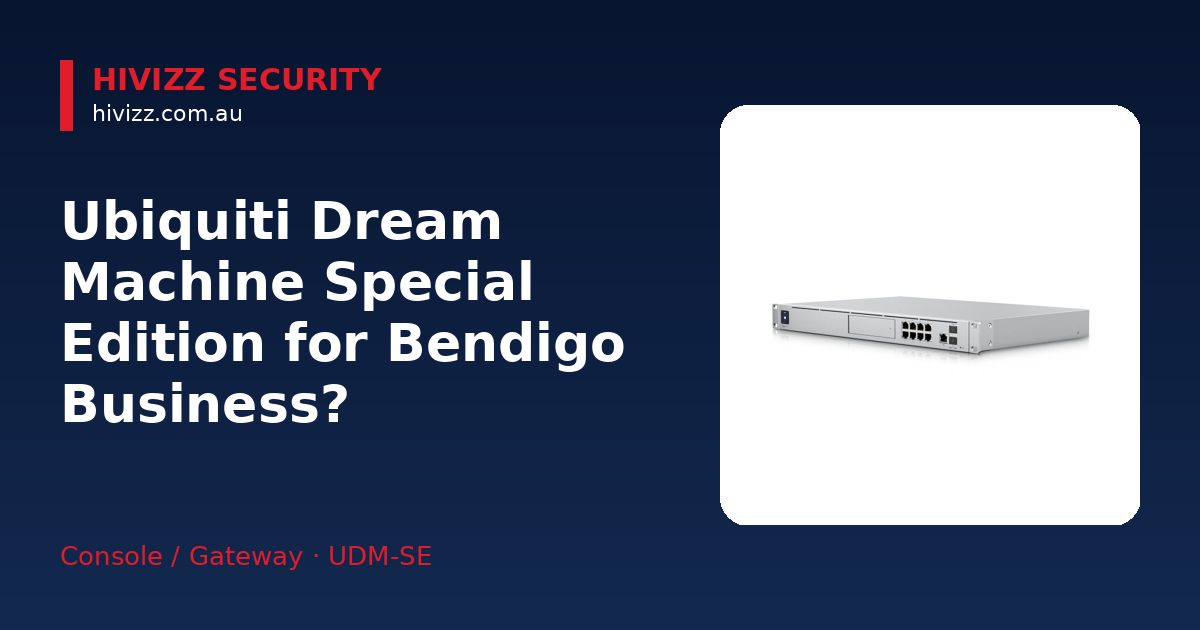
HiVizz Security is an owner‑operated 4K CCTV installer that offers free on‑site quotes across Bendigo, Ballarat, Geelong, Melbourne and the rest of Central Victoria. We also stock the Ubiquiti Dream Machine Special Edition (SE) as an all‑in‑one networking option for local businesses. The Dream Machine SE bundles a router, switch, security gateway and controller in one chassis, which can be a practical fit for small‑business networks in Bendigo and Echuca that need reliable performance without a rack of separate gear. We can supply the unit, install it and set up the UniFi Network app for you.
What is the Ubiquiti Dream Machine Special Edition?
The Ubiquiti Dream Machine Special Edition runs UniFi OS, giving you a single dashboard to manage routing, firewall, Wi‑Fi and optional video surveillance. In plain terms, it’s a robust internet gateway that also works as a switch and security controller, so you don’t have to buy separate pieces of hardware. Key points:
- All‑in‑one console, gateway, switch and security controller – one box does the work of several devices.
- Enterprise‑grade UniFi OS – the same software large enterprises use, but simple enough for a local shop.
- 8‑port PoE/PoE+ switch, 3.5+ Gbps routing, 1.3" touchscreen – PoE (Power over Ethernet) lets the switch deliver power and data over a single cable to Wi‑Fi access points, IP cameras or VoIP phones, while the screen shows real‑time status.
You can see the product page here: Ubiquiti Dream Machine Special Edition.
Features that help Bendigo small‑business networks
Bendigo businesses usually run a handful of devices – POS systems, security cameras, guest Wi‑Fi and cloud services. The Dream Machine SE includes a few things that make that setup easier:
- 3.5 + Gbps routing – keeps internet fast for offices, retail terminals and cloud‑based accounting, even when several users are online.
- Integrated PoE ports – eight Gigabit Ethernet ports (two PoE+, six PoE) can power access points, cameras or phones without extra power adapters.
- 10 Gbps SFP+ uplink – ready for a fibre connection from NBN or a local ISP, a common upgrade path for growing businesses.
- Rack‑mount option – fits a standard 19-inch rack cabinet, keeping the office tidy and protecting the hardware from dust.
These specs let you run a stable, secure network without a tangle of cables – a real plus in regional sites where space and wiring are at a premium.
When the Dream Machine SE makes sense over other Ubiquiti models
Ubiquiti offers several “Dream Machine” devices, but the SE version is worth considering in a few scenarios:
- Built‑in PoE and 10 Gbps uplink – if you need to connect APs, cameras or phones straight to the gateway, the standard Dream Machine lacks both.
- Rack‑mount requirement – businesses that already have a network rack, or want a neat cabinet installation, will appreciate the SE’s rack‑mount design.
- Upgrade over the Dream Machine Pro – the SE is an upgrade over the Pro for businesses needing integrated PoE, a faster 2.5 GbE WAN port and built-in SSD storage without needing separate injectors or switches [techspecs.ui.com]. We can help you decide which model fits your budget and performance goals.
What else you’ll need for a complete installation
The Dream Machine SE is a solid core, but a functional network usually needs a few extra bits:
- PoE‑powered access points or cameras – we supply compatible Hikvision, Dahua and Annke cameras, as well as Ubiquiti UniFi APs, all of which can draw power from the SE’s PoE ports.
- Optional 3.5" HDD/SSD for video storage – if you want UniFi Protect to record footage, you’ll need a drive installed in the built‑in bay.
- Mounting kit or rack shelf – for wall‑mount or rack‑mount installs, we can provide the right hardware and fit it to meet local building standards.
Local setup guide
Setting up the Dream Machine SE in a Bendigo or Echuca office is straightforward. If you prefer a DIY approach, here’s a quick rundown:
- Connect WAN (fibre or cable) to the 2.5 GbE WAN port – plug the incoming line into the coloured WAN jack on the front panel [techspecs.ui.com].
- Plug PoE devices into the 8‑port switch – connect UniFi access points, IP cameras or VoIP phones; they’ll power up automatically.
- Install the UniFi Network app on your phone – download the free app from the App Store or Google Play, scan the QR code on the touchscreen, and adopt the Dream Machine SE into your account.
- Create VLANs or guest networks as needed – VLANs (Virtual Local Area Networks) let you separate network traffic for security and management purposes, making it easy to set up separate Wi‑Fi for staff, visitors or IoT devices.
- Add storage (optional) – open the front panel, slide a 3.5" HDD or SSD into the bay, and format it via the UniFi Protect app.
We can provide a free on‑site quote within 2 business days and handle the full installation, from cabling to app configuration, so you don’t have to worry about the technical bits.
Support, warranty and liability coverage
We back more than just the hardware:
- 24‑month parts and labour warranty – covers any defects in the Dream Machine SE and our installation work.
- Free on‑site quote within 2 business days – just give us a call or drop us an email and a technician will visit your Bendigo or Echuca location.
- Australian‑owned, owner‑operated, based in Marong (Bendigo region) – local expertise you can trust, with a team that knows regional connectivity challenges.
Frequently asked questions
Q: Can the Dream Machine SE run UniFi Protect for cameras? A: Yes. The SE includes a 3.5" HDD/SSD bay that can host UniFi Protect, letting you record and view footage from compatible cameras. We can install the drive and set up the software for you.
Q: Do I need a separate controller for UniFi devices? A: No. The Dream Machine SE’s built‑in UniFi OS acts as the controller for all UniFi networking and security devices, so you manage routers, switches, access points and cameras from a single dashboard. We’ll configure it during installation.
Q: What HDD size should I use for video storage? A: A 1 TB drive can provide several weeks of recording, depending on camera count and resolution. Larger setups may need 2 TB or more; we can recommend the right size based on your camera count and retention needs.
Q: Is the Dream Machine SE suitable for a retail shop with guest Wi‑Fi? A: Absolutely. You can create a separate guest network in the UniFi app, keeping customer traffic isolated from your POS and internal systems. We’ll set up the VLANs to ensure secure segmentation.
Q: How does PoE simplify wiring in my office? A: PoE lets you deliver both data and power over a single Ethernet cable, removing the need for separate power adapters for access points, cameras or phones. Our installers will plan the cabling to maximise those benefits.
Next step – get your free on‑site quote
Ready to upgrade your Bendigo or Echuca business network with the Ubiquiti Dream Machine Special Edition? Get in touch:
- Call: 0406 048 875
- Email: [email protected]
- Product page: Ubiquiti Dream Machine Special Edition
We’ll arrange a free on‑site quote within two business days, supply the hardware, install it professionally, and set up the UniFi app so your network runs smoothly from day one. Give us a call today to get started.