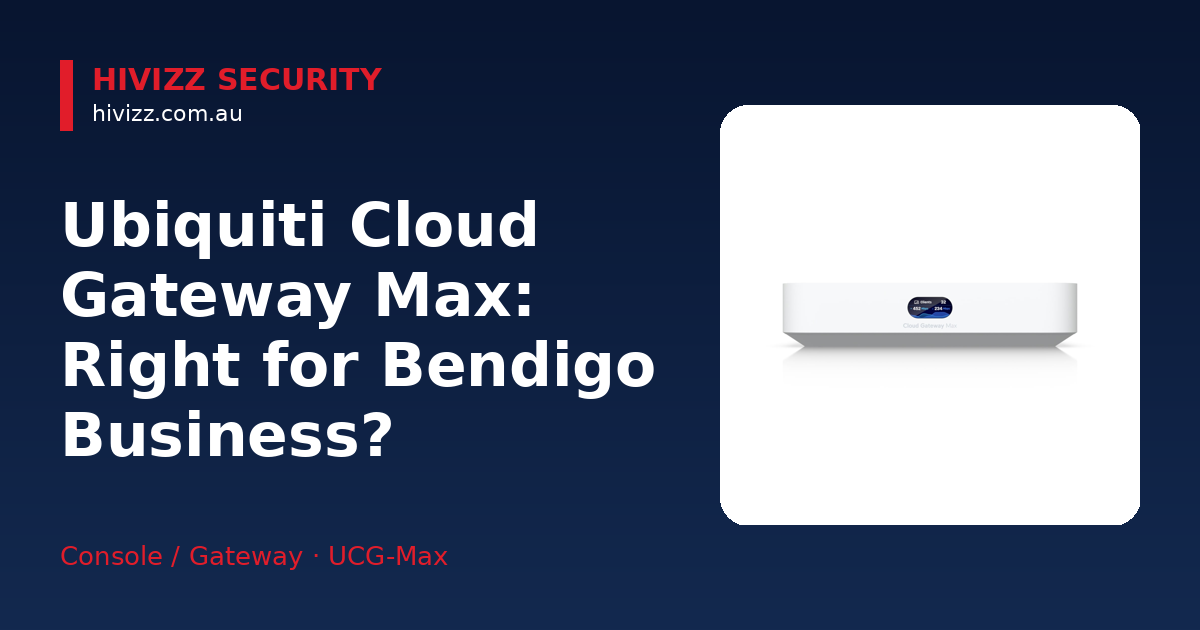
If you're after an owner‑operated installer of 4K cameras with a free on‑site quote in Central Victoria, HiVizz Security covers Bendigo, Ballarat, Geelong, Melbourne and nearby towns. The Ubiquiti Cloud Gateway Max (UCG‑Max) is a compact 2.5 GbE device that bundles routing, firewall and UniFi Protect storage. It suits small‑to‑medium businesses that want a single box to run up to 30 UniFi devices and about 300 clients. We can supply, install and configure the UniFi app for you.
Is the Ubiquiti Cloud Gateway Max right for your Bendigo business?
The UCG‑Max is built for up to 300 simultaneous users. Typical settings include a retail store, a medical clinic or a small manufacturing site. It supports more than 30 UniFi devices, allowing Wi‑Fi access points, cameras and switches to connect without a separate router. It performs well with internet speeds up to about 2 Gbps, which matches most NBN plans in Bendigo and Ballarat. For modest networks that still need enterprise‑grade IDS/IPS, the device offers a practical solution.
Key features that matter for regional businesses
- 2.5 GbE WAN and four 2.5 GbE LAN ports give more bandwidth than a typical gigabit router, which helps when you run several IP cameras.
- 1.5 Gbps IDS/IPS routing (2.3 Gbps peak) lets the gateway inspect traffic for threats in real time, keeping your business data safe.
- Multi‑WAN load balancing and SD‑WAN let you connect two internet sources (e.g., NBN and a 4G backup) and have the gateway automatically balance traffic or switch over if one line drops.
- 512 GB NVMe SSD for UniFi Protect storage acts as an NVR (network video recorder) that stores footage locally, so you own your video data without a cloud subscription.
These capabilities address common pain points in regional areas: occasional internet hiccups, the need for strong security without a large IT team, and the desire to keep video footage on‑premises.
Performance specs you need to know
- Quad‑core ARM Cortex‑A53 @ 1.5 GHz, 3 GB RAM provides enough processing power for routing, firewall and video storage at the same time.
- Power draw 16.1 W, fan‑less design (55 BTU/hr) means quiet operation, ideal for an office environment.
- Supports up to 30 UniFi devices and 300 clients so you can mix access points, cameras and switches without hitting a hard limit.
(NVR = network video recorder, a device that stores surveillance video; IDS/IPS = software that watches network traffic for suspicious activity and blocks it.)
Installation basics and what else you’ll need
- PoE switch or injector – UniFi access points and cameras draw power over Ethernet, so you’ll need a PoE‑enabled switch (or individual PoE injectors) to power them.
- USB‑C power adapter – comes included; simply plug it into a wall outlet.
- UniFi Network Controller – the gateway runs the full UniFi application suite locally on the device (it cannot be hosted on an external cloud controller). This lets you manage Wi‑Fi, cameras and switches directly from the UniFi app on your phone or computer.
- Mounting hardware – an optional wall‑mount kit (available from HiVizz Security) keeps the unit tidy in a server rack or on a wall.
HiVizz Security can handle the whole installation: we’ll deliver the hardware, mount it, connect it to your existing network and configure the UniFi app so you can start monitoring and managing your network immediately. See the product page for more details: Ubiquiti Cloud Gateway Max – see the current price on the product page.
How it compares to other UniFi gateways
- Much more compact and desktop-friendly than the rackmount UniFi Dream Machine Pro, while still including built-in NVMe storage for UniFi Protect camera footage without requiring a full equipment rack.
- Adds 2.5 GbE LAN ports and UniFi Protect NVR storage over the cheaper Cloud Gateway Ultra, giving you high-speed local networking and video surveillance support that the entry-level 1 GbE model lacks.
- Designed for 2.5 GbE environments – if you have a fast internet feed or plan to upgrade to 2.5 GbE switches, the UCG‑Max gives you the bandwidth without over‑paying for a 10 GbE‑only device.
- Simpler setup compared with higher‑end models, which can reduce installation time.
If you anticipate needing more than 30 UniFi devices or 10 GbE throughput, you might look at the Dream Machine Pro or Fiber models, but for most Bendigo and Melbourne SMBs the UCG‑Max offers the right balance of features and price.
Local support, warranty and liability
HiVizz Security backs the UCG‑Max with a 2-year warranty on products and a 1-year warranty on workmanship for peace of mind on every installation. As an Australian‑owned, owner‑operated business based in Marong (Bendigo region), we understand the local climate, NBN rollout quirks and the need for reliable after‑sales service. Our team will visit your site, provide a free on‑site quote within 2 business days and walk you through the setup so you’re comfortable managing the network yourself.
FAQ
Q: Do I need a separate PoE switch for UniFi cameras when I buy the UCG‑Max? A: We recommend pairing the UCG‑Max with a PoE‑enabled switch so your UniFi access points and cameras receive power over the Ethernet cable.
Q: Can the UCG‑Max handle two internet connections for backup? A: Yes – the gateway supports multi‑WAN load balancing, allowing you to connect both your NBN line and a secondary 4G/5G connection.
Q: Is the 512 GB SSD inside the UCG‑Max enough for my security camera footage? A: The built‑in 512 GB NVMe SSD provides ample storage for several days of high‑definition video for most small‑to‑medium businesses.
Q: What kind of warranty does HiVizz Security offer on the UCG‑Max? A: We provide a 2-year warranty on products and a 1-year warranty on workmanship for the installation. Ongoing support is also available to keep your network running smoothly.
Q: How quickly can I get a quote and installation in Bendigo? A: We offer a free on‑site quote within 2 business days. Once you approve the quote, we can usually schedule the installation within a week for local customers.
Get your free on‑site quote today
HiVizz Security invites you to upgrade your business network with the Ubiquiti Cloud Gateway Max. We provide a free quote for every installation. Call 0406 048 875 or email [email protected] to arrange a free on‑site quote. We will assess your current setup, recommend the right configuration and schedule a professional installation at a time that suits you. No hidden fees – you own your footage and your network. Give HiVizz Security a call today on 0406 048 875 to discuss your network and security needs.