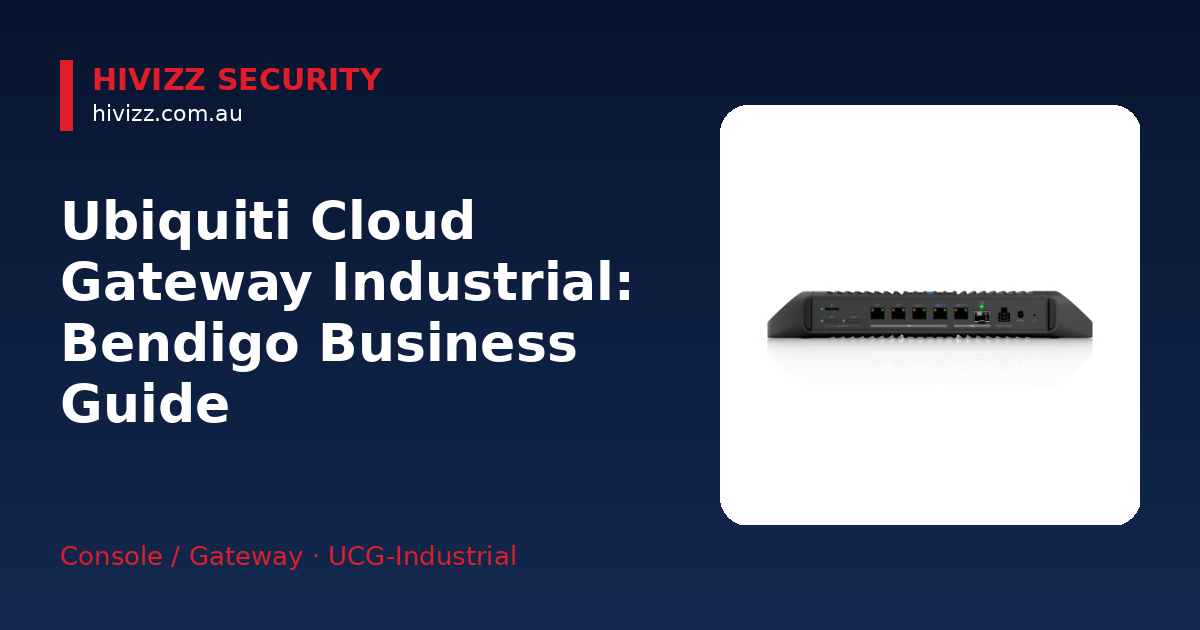
Based in Bendigo and serving Central Victoria, HiVizz Security is an owner‑operated CCTV installer that supplies 4K security cameras and free on‑site quotes across Bendigo, Ballarat, Geelong, Melbourne and surrounding areas. The Ubiquiti Cloud Gateway Industrial (UCG‑Industrial) is a fan‑less, 10 GbE gateway that can deliver up to 270 W of PoE power (total system power 350 W) and includes a microSD slot for running UniFi apps locally. For Bendigo businesses that want a single, ruggedised, fanless device to power Wi‑Fi, cameras and access‑control gear while handling heavy routing duties, the UCG‑Industrial is a solid option; outdoor deployments should be placed in a weather‑proof cabinet.
Why a Rugged Gateway Matters for Bendigo Businesses
Industrial sites, construction yards and remote offices in the Bendigo region often contend with dust, temperature swings and limited climate control. A conventional router with moving parts can overheat or fail under those conditions. The UCG‑Industrial’s fan‑less, ruggedised chassis is designed to keep running in dusty or extreme temperatures, which helps cut maintenance and downtime.
Nearby towns such as Castlemaine see the same benefits, especially where NBN connections run through outdoor cabinets that are exposed to the elements. Choosing hardware that can survive those conditions keeps your network up and your staff productive.
Key Features of the UCG‑Industrial
HiVizz Security highlights the following specifications:
- Fan‑less, rugged 10 GbE chassis – No moving parts means less wear and quieter operation, suitable for server rooms or outdoor enclosures.
- Up to 270 W PoE budget (total system power 350 W) – Power over Ethernet lets you run UniFi access points, IP cameras and door controllers straight from the gateway without separate adapters.
- MicroSD storage – The gateway ships with a pre‑installed 128 GB industrial microSD card for UniFi Protect video storage and running UniFi apps.
- Network and PoE ports – Includes one 10G SFP+ port, one 10 GbE RJ45 port, and four 2.5 GbE RJ45 ports for high‑speed connectivity; up to five of these ports can be configured as WAN.
- Rack‑mountable design – Optional rack‑mount bracket sold separately; the unit includes a tabletop stand.
In plain terms, the gateway acts as the “brain” of your network while also supplying electricity (via PoE) to cameras and Wi‑Fi points, and it can store video locally on a microSD card.
Who Should Choose This Gateway?
HiVizz Security recommends the UCG‑Industrial for manufacturing floors and construction sites that need a lot of PoE, remote or satellite offices that want an all‑in‑one device, enterprises planning 5G fail‑over, and businesses that prefer a single piece of equipment over separate routers, PoE switches and NVRs.
If you only need a few cameras or a modest Wi‑Fi network, a lower‑spec UniFi Dream Machine (UDM) may be more cost‑effective. Once you start adding more devices, the UCG‑Industrial’s 270 W PoE budget and solid routing become valuable.
Installation Essentials for Bendigo Customers
Required Accessories
- PoE switches (optional) – Use a UniFi PoE switch if you need more PoE ports than the gateway provides.
- MicroSD storage – The gateway ships with a pre‑installed 128 GB industrial microSD card for UniFi Protect video storage and running UniFi apps.
- Rack‑mount kit – Optional rack‑mount bracket sold separately; the unit includes a tabletop stand.
Practical Steps
- Mount the gateway in a cool, dust‑protected rack or cabinet. The fan‑less design tolerates higher temperatures, but keeping it out of direct sunlight prolongs its life.
- Verify the pre‑installed microSD card is recognised by the UniFi apps via the UniFi Network dashboard – a guided setup that HiVizz Security can perform for you.
- Connect WAN cables to the appropriate ports; configure one as the primary fibre link and the other for a secondary broadband connection such as an external 5G router.
- Power PoE devices (access points, cameras, door controllers) directly from the gateway or from an additional PoE switch if you need more ports.
- Run a quick health check using the UniFi Network dashboard to confirm all devices are online and the gateway is routing correctly.
HiVizz Security also offers on‑site support to configure the gateway, test PoE devices and verify that the microSD storage is set up correctly for UniFi Protect.
Integrating UniFi Protect, Network & Access Control
The microSD slot lets you run three UniFi apps on the same hardware:
- UniFi Protect – Stores video from up to 15 HD, 8 2K, or 5 4K cameras locally, removing the need for a separate NVR.
- UniFi Network – Manages Wi‑Fi, VLANs (Virtual Local Area Network) – a way to separate network traffic – and routing policies from a single mobile app, making it easy to separate guest traffic from internal devices.
- UniFi Access – Controls door‑entry hardware without an extra controller, simplifying access management for offices or warehouses.
Because all three apps share the same hardware, you only need one device to monitor video, manage Wi‑Fi and control doors, which cuts cabling, power consumption and overall cost.
Local Support, Warranty & Liability from HiVizz
HiVizz Security backs the UCG‑Industrial with a 24‑month parts and labour warranty and public liability cover (see product page). As an Australian‑owned, owner‑operated business based in Marong (Bendigo region), we understand the local network challenges and can respond quickly.
Request a free on‑site quote within two business days – call 0406 048 875, email [email protected] or use the online form. Our technicians will visit your Bendigo or Castlemaine location, assess your network needs and provide a detailed, no‑obligation recommendation. ABN: 98 691 795 383
FAQ
Q: Can the UCG‑Industrial power my existing IP cameras? A: With up to 270 W PoE budget, the gateway can supply power to most UniFi‑compatible IP cameras. We can check your camera models and advise if any additional PoE switches are needed.
Q: Do I need a separate UniFi controller for network management? A: No. The pre‑installed microSD card runs the UniFi Network controller locally, so you manage Wi‑Fi, VLANs and routing from the UniFi Network mobile app. We’ll set up the controller and walk you through the dashboard.
Q: What’s involved in setting up 5G fail‑over? A: The gateway itself has no onboard cellular modem. You can connect an external 5G router to one of the WAN ports or use Remote SIM integration with a UniFi 5G Max Outdoor device. Configuration is done in the UniFi Network app.
Q: Is the gateway suitable for a small office with only a few Wi‑Fi points? A: It will work, but a smaller UniFi Dream Machine may be more cost‑effective. The UCG‑Industrial does give you future‑proof capacity if you expect growth.
Q: How do I install the microSD card for UniFi Protect? A: The gateway ships with a pre‑installed 128 GB industrial microSD card. During installation we verify the card is recognised and the UniFi Protect app appears in the setup wizard.
Next Steps – Get Your Quote
Ready to future‑proof your Bendigo business network? Visit the product page for the Ubiquiti Cloud Gateway Industrial to see the latest availability and specifications.
For a free on‑site quote within two business days, call 0406 048 875, email [email protected], or fill out our online request form. HiVizz Security’s local technicians will visit your site, confirm the ideal configuration and provide a clear, no‑obligation estimate.