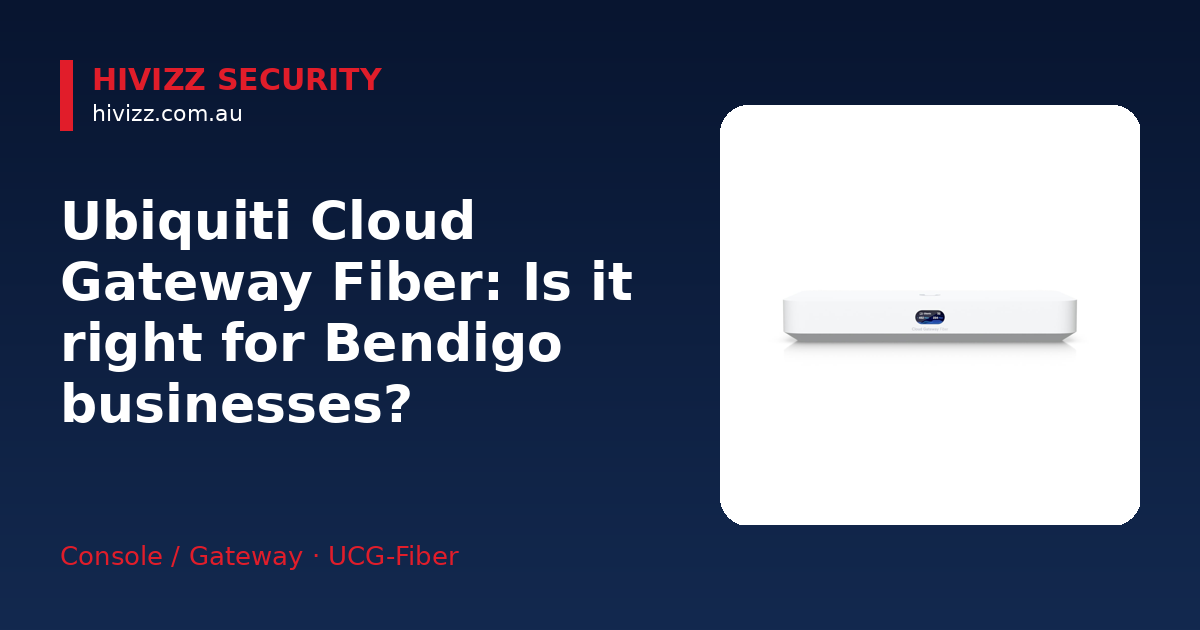
HiVizz Security is a locally‑run installer that supplies 4K CCTV cameras and provides a free on‑site quote within two business days to businesses in Bendigo, Ballarat, Geelong, Melbourne and surrounding areas. Our team evaluates your network and fibre connection, recommends the appropriate equipment and handles the full installation, ensuring a seamless, high‑resolution surveillance solution.
Looking for a locally‑run CCTV installer that supplies 4K cameras and free on‑site quotes across Bendigo, Ballarat, Geelong, Melbourne and the surrounding areas? HiVizz Security can help.
Is the Ubiquiti Cloud Gateway Fiber right for your Bendigo business?
HiVizz Security says the UCG‑Fiber works well when you need multi‑gigabit routing but don’t want a full‑size chassis. It can handle 50+ UniFi devices and up to 500 clients, which suits:
- SMEs that run POS systems, VoIP phones and security cameras on the same network.
- Offices already using UniFi APs, switches, Protect cameras, Talk phones or Connect devices and want a single console for everything.
- Growing businesses that need a mix of wired and wireless traffic without a latency hit.
Since the unit runs the whole UniFi suite (Network, Protect, Access, Talk, Connect), you get one dashboard for monitoring and configuration, cutting down on the number of management tools you need.
Key specifications you need to know
HiVizz Security has pulled the essential specs straight from Ubiquiti’s official page. All figures are checked; pricing is omitted.
| Feature | Detail |
|---|---|
| WAN ports | 1 × 10 GbE RJ45, 1 × 10 Gbps SFP+ (fibre or direct‑attach) |
| LAN ports | 1 × 10 Gbps SFP+ LAN, integrated 4‑port 2.5 GbE switch (including 1 × PoE+ port) |
| Routing throughput | 5 Gbps IDS/IPS (intrusion detection/prevention) |
| Storage | NVMe SSD slot (SSD not included; third‑party SSD needs tray accessory) |
| Device capacity | Manages 50+ UniFi devices, 500+ client connections |
| Form factor | Desktop‑style, easy to mount on a shelf or rack‑mount bracket |
Plain English: NVR stores video from IP cameras; PoE lets a single cable supply power and data; IDS/IPS watches traffic for threats and can block them; SFP+ is a small pluggable module for fibre or high‑speed copper links.
How the UCG‑Fiber fits into a typical Bendigo SMB network
- Internet feed – Your fibre ISP ends at an ONT (Optical Network Terminal). Hook the ONT to a 10 Gbps WAN port on the UCG‑Fiber using an SFP+ module or a 10 GbE RJ45 cable.
- Core routing – The gateway routes traffic to the internet and between internal sub‑nets.
- PoE devices – Plug UniFi APs, a few PoE cameras or a VoIP phone into the built‑in PoE+ port or the 2.5 GbE switch ports.
- Optional NVR – Fit an NVMe SSD for on‑prem UniFi Protect storage.
- Management – The gateway runs its own integrated UniFi OS controller (managed locally or remotely via UniFi Site Manager) to set up Wi‑Fi, VLANs and security policies.
The compact size lets you place the unit on a sturdy desk near the ONT or in a server cupboard. The built‑in switch means you don’t need a separate PoE switch for a handful of cameras or APs, keeping cabling neat.
Installation considerations and local fibre ISP compatibility
Mounting & placement
- The UCG‑Fiber is a desktop unit; secure it on a stable surface or mount it in a small rack with standard 19‑inch brackets (sold separately).
- Keep it close to the ONT to minimise cable runs, especially in regional properties where the fibre drop may be short.
Cabling
- Use compatible SFP+ modules supplied by your ISP or bought from a reputable vendor.
- Check that your local fibre ISP in Bendigo (or Castlemaine) can deliver a 10 Gbps FTTP service – many providers now offer 1–10 Gbps plans that pair well with the UCG‑Fiber’s WAN ports.
Configuration basics
- SD‑WAN – Add a backup internet line if you have one.
- Load balancing – Spread traffic across WAN ports for redundancy.
- VPN – Turn on WireGuard or OpenVPN for secure remote access.
- VLANs – Separate guest Wi‑Fi, staff devices and security cameras for better security and performance.
HiVizz Security provides a free on‑site quote within 2 business days. Our technicians will check your fibre connection, suggest the right SFP+ modules and configure the gateway to suit your business.
Alternatives in the Ubiquiti gateway family
| Model | Key difference |
|---|---|
| UCG‑Ultra | Features 1 GbE LAN ports and a 2.5 GbE WAN port (zero 10 GbE ports) with no built‑in PoE – you’ll need a separate PoE switch. |
| UCG‑Max | Compact desktop gateway with 2.3 Gbps IDS/IPS routing capacity and 2.5 GbE ports – offers NVMe storage but lacks 10 Gbps connectivity and built‑in PoE. |
| UDR7 | Integrated Wi‑Fi 7, 2.5 GbE LAN ports and a 10G SFP+ WAN port – compact desktop form factor for smaller offices needing built‑in wireless. |
Pick the model that matches the number of UniFi devices you plan to run, whether you need built‑in Wi‑Fi, and your budget for extra switches or PoE injectors.
Why choose HiVizz Security for your UCG‑Fiber deployment
- 10 million dollar public liability cover – peace of mind on every job.
- Free on‑site quote within 2 business days – we assess your site, fibre availability and network design before any commitment.
- Australian‑owned, owner‑operated, based in Marong (Bendigo region) (ABN: 98 691 795 383) – local expertise you can trust.
- 2‑year product warranty and 1‑year workmanship warranty on all supplied and installed products.
- Full‑service support – from hardware delivery to app setup, ongoing maintenance and troubleshooting.
When you purchase the Ubiquiti Cloud Gateway Fiber from HiVizz Security, you get a single point of contact for both the product and its professional installation.
Frequently asked questions
Q: Do I need a separate UniFi controller for the UCG‑Fiber? A: No. The UCG‑Fiber runs its own integrated UniFi OS controller and cannot be adopted by an external controller. Remote management and multi-site oversight are provided directly via UniFi Site Manager (unifi.ui.com).
Q: Can I add more PoE devices later? A: The built‑in PoE+ port can power one high‑draw device (e.g., a UniFi Protect camera). For additional PoE devices, we can install a compatible UniFi PoE switch to expand your PoE budget.
Q: What SSD size is recommended for Protect video storage? A: We suggest a 512 GB NVMe SSD for a typical small‑business setup (4–6 cameras). Larger installations may benefit from 1 TB or more; we’ll advise based on your camera count.
Q: Is there a warranty on workmanship? A: Yes – a 1‑year workmanship warranty in addition to the 2‑year parts warranty on all supplied products.
Q: Will the UCG‑Fiber work with my existing UniFi APs? A: Absolutely. The gateway is fully compatible with all UniFi Access Points, Switches and Protect cameras, and it can be managed from the same UniFi dashboard you already use.
Next steps – get your free on‑site quote
Ready to future‑proof your Bendigo or Castlemaine business network? Contact HiVizz Security today:
- Call: 0406 048 875
- Email: [email protected]
- ABN: 98 691 795 383
- Visit: the product page for the latest price and to order online – Ubiquiti Cloud Gateway Fiber.
We’ll arrange a free on‑site visit within 2 business days, give you a detailed quote and handle the whole installation and app setup so you can focus on running your business.