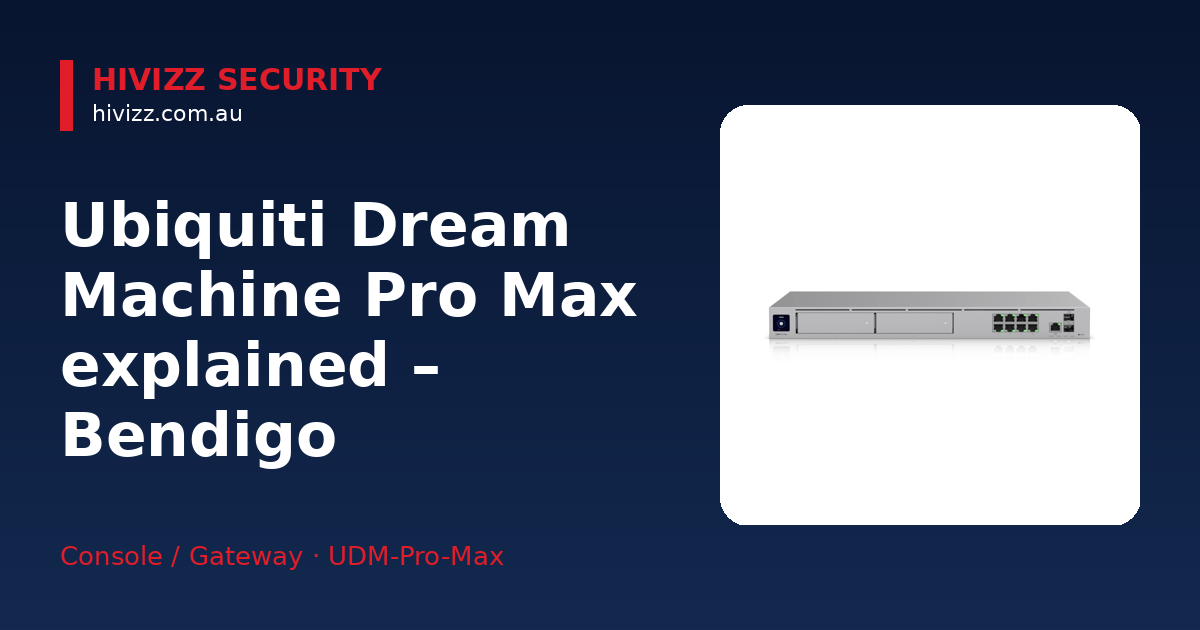
Based in Bendigo and covering Ballarat, Geelong, Melbourne and surrounding Central Victorian towns, HiVizz Security is an owner‑operated installer of 4K CCTV cameras that provides free on‑site quotes. In plain terms, the Ubiquiti Dream Machine Pro Max is a rack‑mount gateway that handles routing, firewall, intrusion detection (IDS/IPS) and video storage for your business network. For most Bendigo SMEs that need fast, reliable internet and a built‑in NVR (Network Video Recorder – a device that stores video footage from security cameras), it’s a sensible option – and HiVizz Security can set it up for you with a free on‑site quote.
What the Ubiquiti Dream Machine Pro Max Actually Does
HiVizz Security explains that the Ubiquiti Dream Machine Pro Max bundles several networking functions into a single piece of hardware:
- All‑in‑one rack‑mount gateway: it routes traffic, protects the network with a firewall and IDS/IPS, and stores video from security cameras.
- Supports 200+ UniFi devices and up to 2,000 clients: you can connect a large number of access points, switches and cameras without needing extra controllers.
- 10 Gbps multi‑WAN load balancing: it can use two internet connections at once, automatically shifting traffic to keep your business online if one line drops.
Think of it as the “brain” of your IT and security system, keeping everything talking together safely and quickly.
Key Features That Matter to Bendigo SMEs
HiVizz Security highlights the features of the Dream Machine Pro Max that are most relevant to Bendigo small‑and‑medium businesses:
- 5 Gbps routing with built‑in IDS/IPS – fast data movement while constantly scanning for threats.
- 10 Gb SFP+ (a high-speed fibre optic port for 10 Gbps connections) and eight 1 GbE RJ45 LAN ports – plenty of high‑speed connections for servers, switches or a dedicated security camera network.
- Two 3.5 in. NVR bays with RAID (Redundant Array of Independent Disks – a way of storing data across multiple drives for fault tolerance) – redundant hard‑drive storage that protects video footage even if one drive fails.
- Built‑in 128 GB SSD for quick NVR detection recordings – captures short clips when motion is detected, useful for rapid incident review.
- 1.3″ touchscreen – lets you see status at a glance without needing a separate monitor.
These specs mean your Bendigo shop or office can run high‑density Wi‑Fi, stream video from multiple cameras, and keep the network secure without buying separate appliances.
When to Choose the Pro Max Over Other UniFi Gateways
HiVizz Security recommends the Pro Max in the following situations:
| Situation | Recommended Choice |
|---|---|
| You need up to 10 Gbps WAN throughput or dual-WAN failover with 10G SFP+ | Ubiquiti Dream Machine Pro Max |
| You run several UniFi access points, cameras, and want built‑in NVR storage | Ubiquiti Dream Machine Pro Max |
| Your budget is tighter, you have a single internet line, and only a few cameras | Consider the Ubiquiti Dream Machine Pro or an EdgeRouter instead |
If you’re unsure, HiVizz Security can assess your current and future needs during a free on‑site visit.
What Else You’ll Need for a Complete Installation
HiVizz Security notes that a full installation also requires the following supporting equipment:
- PoE switches – Power over Ethernet (PoE) lets you run both data and power to UniFi access points and IP cameras over a single cable, simplifying cabling.
- PoE budget planning – Make sure the switch can supply enough watts for all devices; standard UniFi APs typically draw up to 13–15 W, while typical PoE cameras draw between 4 W and 12.95 W.
- Rack or wall‑mount kit – The unit ships with mounting hardware, but you may need a rack cabinet if you’re stacking other gear.
- UniFi Controller software – The Dream Machine Pro Max includes the full UniFi application suite, so you won’t need a separate controller.
- Cabling (Cat6 or higher) – For 10 Gbps links, use Cat6a or better to avoid bottlenecks.
- Professional installation – HiVizz Security offers on‑site setup, configuration, and a walkthrough of the official UniFi mobile app (not a HiVizz app) so you can monitor your network and cameras yourself.
You can view the product and its current stock here: Ubiquiti Dream Machine Pro Max.
Local Support, Warranty & Liability from HiVizz Security
HiVizz Security provides local support, warranty and liability coverage as follows:
- 24‑month parts and labour warranty on the Dream Machine Pro Max, giving you peace of mind if anything goes wrong.
- Free on‑site quote within 2 business days – we’ll visit your Bendigo, Melbourne or Geelong location, assess requirements and give a no‑obligation estimate.
- Australian‑owned, owner‑operated, based in Marong (Bendigo region) – we understand the local internet infrastructure, NBN rollout quirks and the weather challenges that can affect outdoor cabling.
- Ongoing support – we also offer firmware updates, troubleshooting and continued assistance to keep your network secure and performant.
FAQ
Q: Can I use the built‑in NVR with my existing IP cameras? A: Yes. During the free on‑site quote we’ll check compatibility and install the drives. The Dream Machine Pro Max’s two NVR bays accept standard 3.5 in. SATA drives that work with any UniFi Protect‑compatible camera.
Q: Do I need additional licences for UniFi Protect? A: No extra licences are required; the UniFi Protect suite is included with the Dream Machine Pro Max, and we’ll configure it so you can view live video and recordings from the official UniFi mobile app.
Q: How does the multi‑WAN load balancing work? A: We set up and test the multi‑WAN load balancing on‑site, allowing the device to connect two separate internet lines and automatically distribute traffic, switching to the faster line if one slows down.
Q: What is IDS/IPS and why do I need it? A: IDS/IPS provides real‑time intrusion detection and prevention, adding a layer of security beyond a standard firewall.
Q: Do I need a separate controller for UniFi devices? A: No. The Dream Machine Pro Max includes the full UniFi controller software, so you can manage all devices from a single dashboard. We’ll walk you through the app.
Next Steps – Get Your Ubiquiti Dream Machine Pro Max Today
Ready to future‑proof your Bendigo (or Melbourne/Geelong) business network? Call HiVizz Security on 0406 048 875 for a free on‑site quote within 2 business days, or visit our online shop to see the current stock. We’ll handle professional installation, configure your UniFi Protect app, and provide ongoing support to keep your network and security cameras running smoothly.